* 오류 발생 

Meeting.tsx 파일 90번째 줄에서 오류 발생


문제의 90번째 코드

* 문제 해결

1. vite-env.d.ts 파일 추가

2. vite-env.d.ts 파일 안에 아래 코드 작성

/// <reference types="vite/client" />

TypeScript가 import.meta.env를 인식


3. 문제가 있었던 코드 수정

return(<EuiCopytextToCopy={`${import.meta.env.VITE_REACT_APP_HOST}/join/${meetingId}`}>


처음 90번째 코드는 react(포트번호 : 3000)에서만 작동되는 코드였고,

vite+react(포트번호 : 5173) 에서는 수정된 코드로 해결 해야한다. 

https://eui.elastic.co/#/forms/combo-box


Elastic UI

The Elastic UI framework (EUI) is a design library in use at Elastic to build internal products that need to share our aesthetics. It distributes UI React components and static assets for use in building web layouts.

eui.elastic.co:443


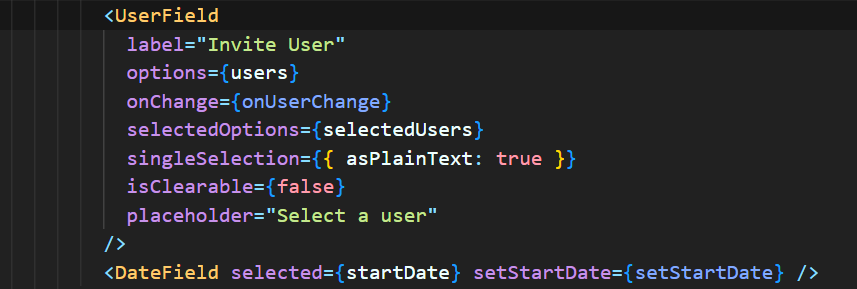
(왼쪽) SingleMeeting.tsx (가운데) DateField.tsx (오른쪽) UserField.tsx


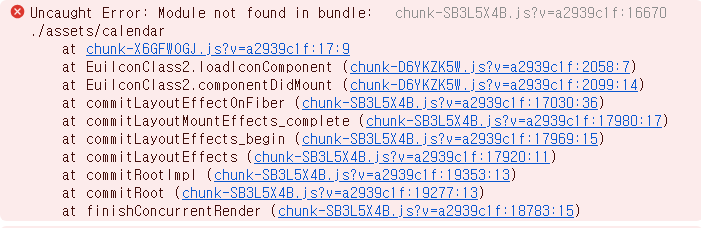
(왼쪽) DateField.tsx 파일의 달력 아이콘 오류 (오른쪽) UserField.tsx 파일의 아래 화살표 아이콘 오류


위에 있는 사이트에서 comboBox 태그를 사용하여 해당 이미지처럼 코드를 짰으나

아이콘을 불러오지 못하는 결과가 나온다.  


https://github.com/elastic/eui/tree/main/wiki/consuming-eui#failing-icon-imports


eui/wiki/consuming-eui at main · elastic/eui

Elastic UI Framework 🙌. Contribute to elastic/eui development by creating an account on GitHub.

github.com

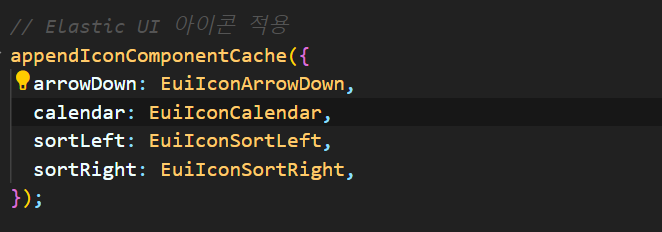
구글링해서 해당 경로를 알게 되었고, 참고하여 코드에 적용시켰다.


상위 컴포넌트인 SingleMeeting.tsx에 해당 코드 작성


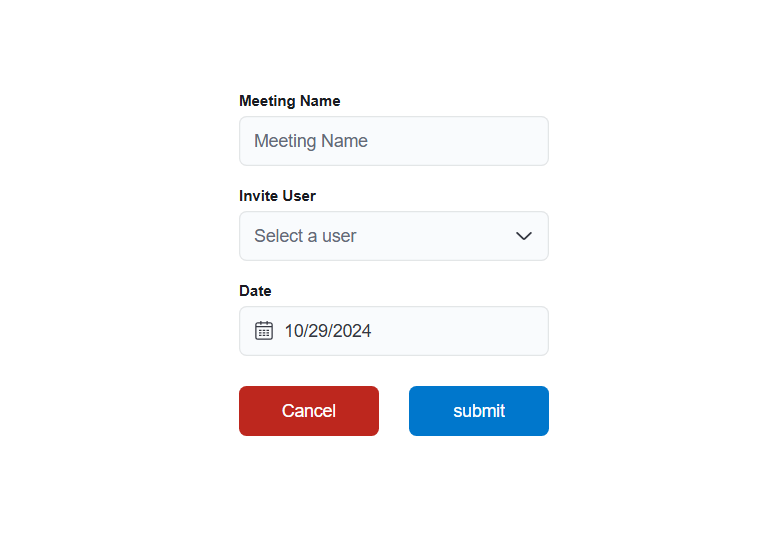
바로 오류없이 원하던 결과물이 출력되었다.


Elastic UI가 yarn에 최적화 되어있고, 해당과정이 필요 없는데

npm을 사용하니 위에 깃허브처럼 적용 시켜줘야 한다.

'TroubleShooting' 카테고리의 다른 글

CommonJS (CJS) Warning  (0) 2024.11.14
process is not defined 해결  (0) 2024.11.13
Localhost ERR_CONNECTION_REFUSED 오류  (0) 2024.11.06

+ Recent posts