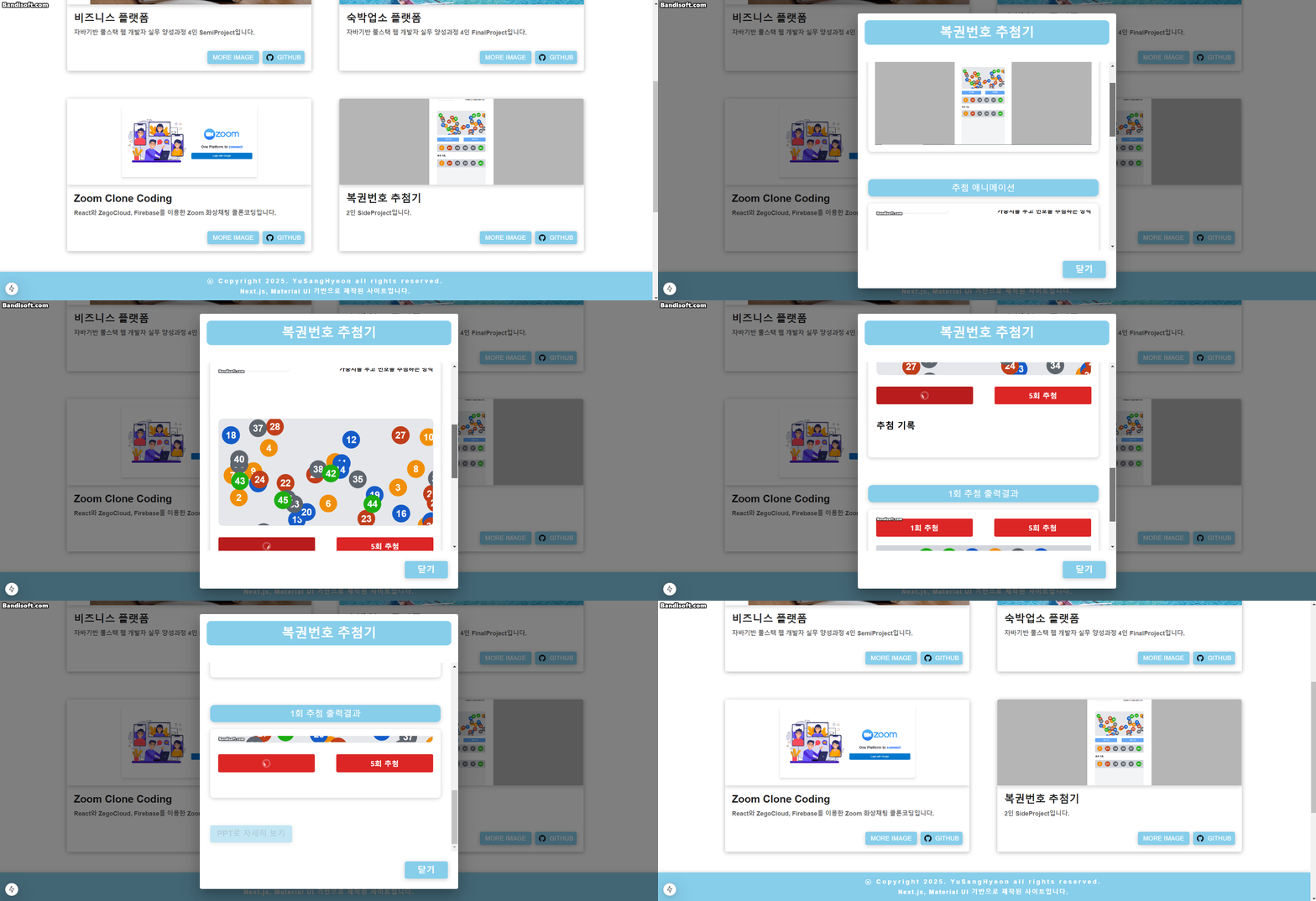
자세한 코드는 이쪽
더보기
      <Dialog open={open} onClose={() => setOpen(false)}>
        <DialogTitle
          sx={{
            minHeight: "8vh",
            fontWeight: "bold",
            fontSize: "30px",
            margin: 2,
            lineHeight: "25px",
            display: "block",
            textAlign: "center",
            marginBottom: 5,
            backgroundColor: "#87CEEB",
            color: "#ffffff",
            borderRadius: "10px",
          }}
        >
          {projectName}
        </DialogTitle>
        <DialogContent>
          <Typography
            sx={{
              fontSize: "20px",
              backgroundColor: "#87CEEB",
              color: "#fff",
              height: "40px",
              lineHeight: "40px",
              borderRadius: "10px",
              textAlign: "center",
              marginBottom: 2,
              boxShadow: "0 2px 10px rgba(0, 0, 0, 0.2)",
            }}
          >
            {subTitle1}
          </Typography>
          <CardMedia
            component="img"
            alt="Project"
            image={projectImg}
            sx={{
              width: "100%",
              height: "auto",
              marginTop: 1,
              marginBottom: 8,
              padding: 2,
              borderRadius: "8px",
              boxShadow: "0 2px 10px rgba(0, 0, 0, 0.2)",
            }}
          />
          <Typography
            sx={{
              fontSize: "20px",
              backgroundColor: "#87CEEB",
              color: "#fff",
              height: "40px",
              lineHeight: "40px",
              borderRadius: "10px",
              textAlign: "center",
              marginBottom: 2,
              boxShadow: "0 2px 10px rgba(0, 0, 0, 0.2)",
            }}
          >
            {subTitle2}
          </Typography>
          <CardMedia
            component="img"
            alt="Project"
            image={image1}
            sx={{
              width: "100%",
              height: "auto",
              marginTop: 1,
              marginBottom: 8,
              padding: 2,
              borderRadius: "8px",
              boxShadow: "0 2px 10px rgba(0, 0, 0, 0.2)",
            }}
          />
          <Typography
            sx={{
              fontSize: "20px",
              backgroundColor: "#87CEEB",
              color: "#fff",
              height: "40px",
              lineHeight: "40px",
              borderRadius: "10px",
              textAlign: "center",
              marginBottom: 2,
              boxShadow: "0 2px 10px rgba(0, 0, 0, 0.2)",
            }}
          >
            {subTitle3}
          </Typography>
          <CardMedia
            component="img"
            alt="Project"
            image={image2}
            sx={{
              width: "100%",
              height: "auto",
              marginTop: 1,
              marginBottom: 8,
              padding: 2,
              borderRadius: "8px",
              boxShadow: "0 2px 10px rgba(0, 0, 0, 0.2)",
            }}
          />
          {/* 새탭으로 PPT 파일 보기 */}
          <Link
            href={projectFile || "#"}
            target={projectFile ? "_blank" : ""}
            rel="noopener noreferrer"
            onClick={(e) => {
              if (!projectFile) e.preventDefault(); // 클릭 차단
            }}
          >
            <Button
              sx={{
                height: "40px",
                padding: 2,
                fontSize: "18px",
                backgroundColor: "#87CEEB",
                color: "#fff",
                fontWeight: "bold",
                boxShadow: "0 2px 10px rgba(0, 0, 0, 0.2)",
                opacity: projectFile ? 1 : 0.5, // 비활성화 시 투명도 낮춤
                pointerEvents: projectFile ? "auto" : "none", // 클릭 비활성화
              }}
              disabled={!projectFile} // projectFile이 없으면 버튼 비활성화
            >
              PPT로 자세히 보기
            </Button>
          </Link>
        </DialogContent>
        <DialogActions>
          <Button
            onClick={() => setOpen(false)}
            color="primary"
            sx={{
              height: 40,
              width: 100,
              backgroundColor: "#87CEEB",
              color: "#ffffff",
              fontWeight: "bold",
              fontSize: "20px",
              boxShadow: "0 2px 10px rgba(0, 0, 0, 0.2)",
              margin: 2,
            }}
          >
            닫기
          </Button>
        </DialogActions>
</Dialog>'Etc' 카테고리의 다른 글
| Next.js로 만드는 페이지(Form) (0) | 2025.02.18 |
|---|---|
| Next.js로 만드는 페이지(Contact) (0) | 2025.02.14 |
| Next.js로 만드는 페이지(Portfolio) (0) | 2025.02.13 |
| Next.js로 만드는 페이지(Skills) (0) | 2025.02.12 |
| Next.js로 만드는 페이지(Info) (0) | 2025.02.11 |